
Your screen.
Your eyes only.
NoPeek uses your Mac's camera and Apple Vision to detect when someone peeks at your screen — then instantly blurs, dims, or locks your display. Everything runs on-device. No images stored. No data sent. Ever.
14-day free trial with full access. Then $9.99 one-time. No subscription.
See it in action
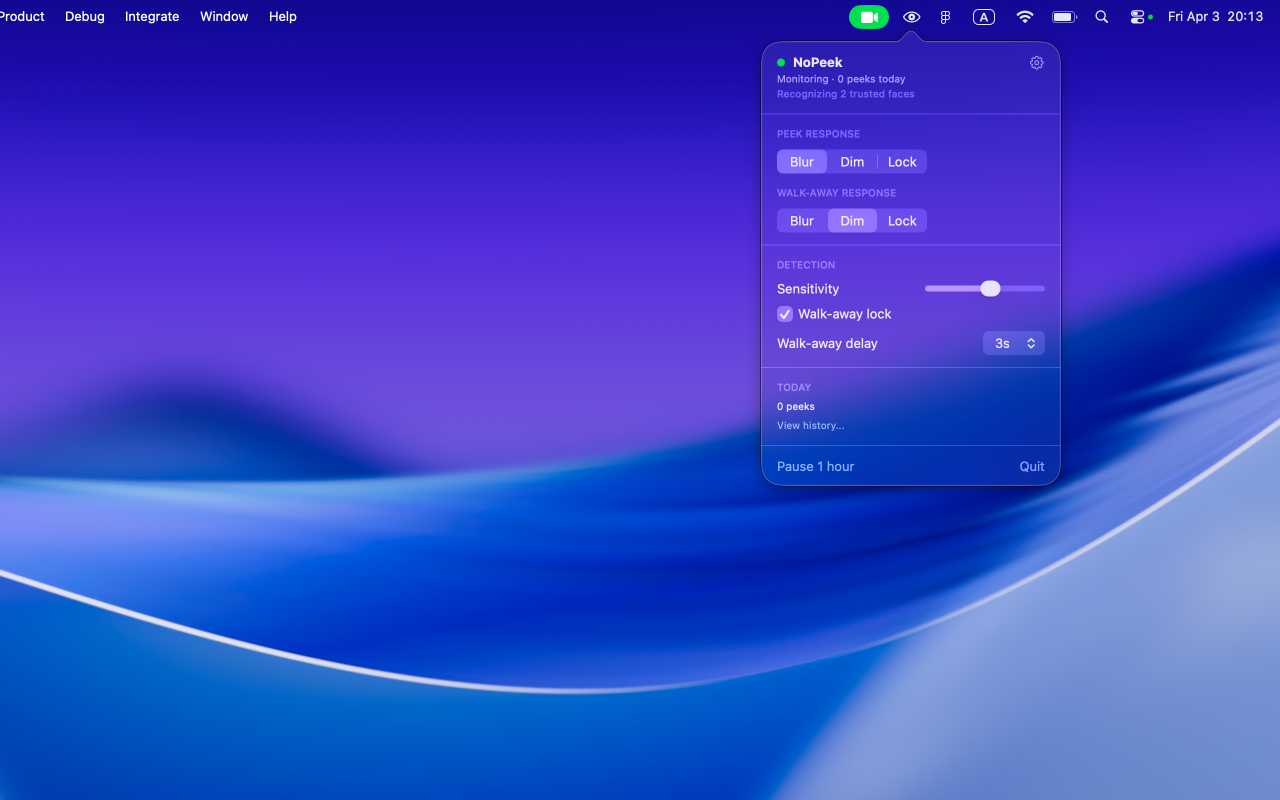
Menubar controls
Quick access to all settings from your menubar. No dock icon, no clutter.
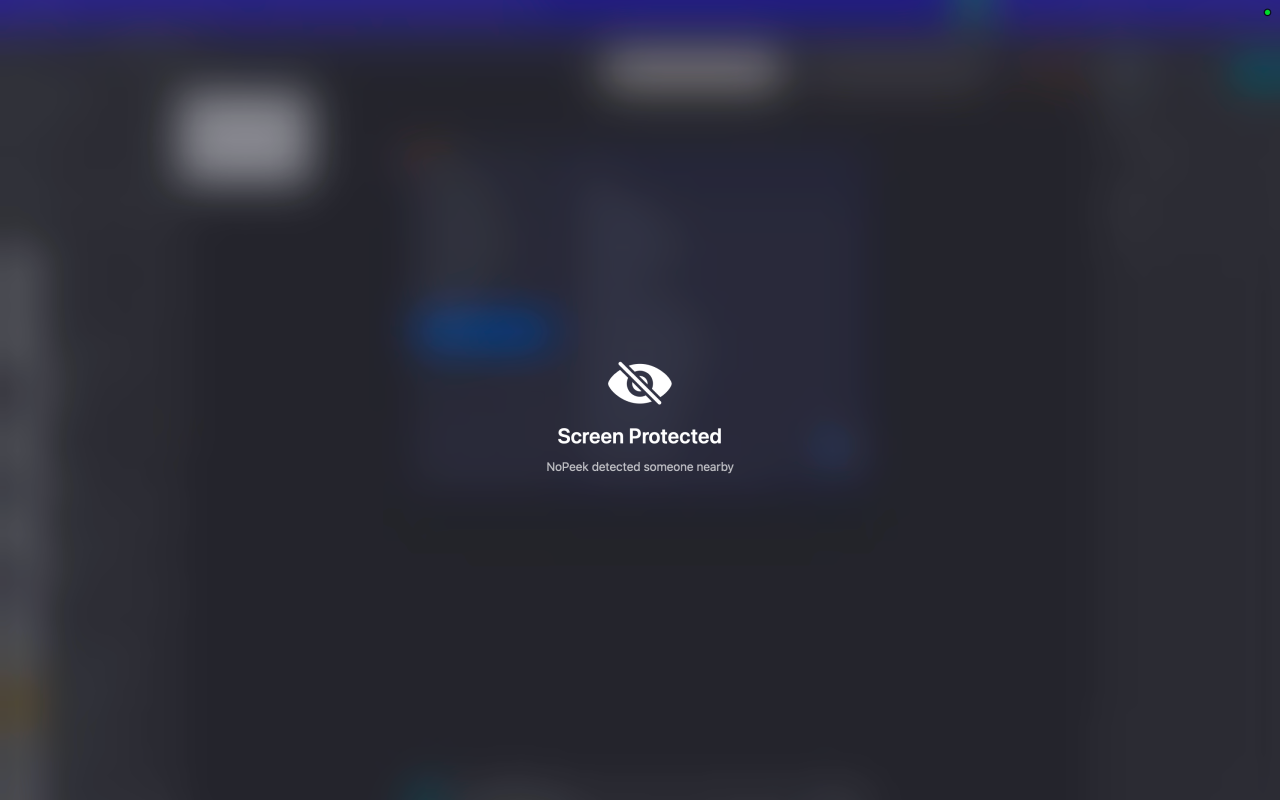
Blur protection
Screen blurs instantly when a peek is detected. Clears automatically when safe.
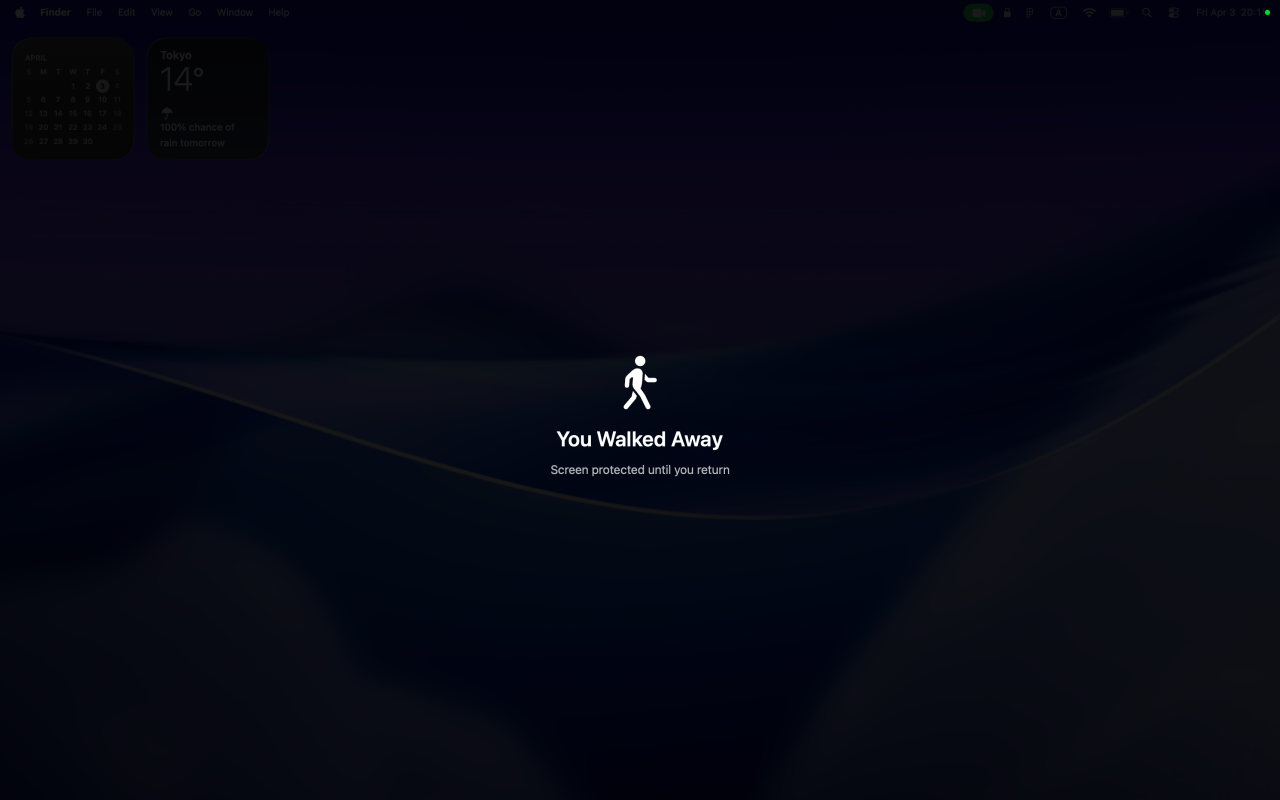
Walk-away detection
Screen dims or locks when you step away. Configurable from 1 to 10 seconds.
How it works
NoPeek watches
Uses Apple Vision framework at approximately 10 fps, processed entirely by the Neural Engine. No images are saved or transmitted.
Peek detected
Distinguishes between someone intentionally looking at your screen versus just passing by. Trusted faces are ignored.
Screen protected
Automatically blurs, dims, or locks your display depending on your settings. Clears when the threat passes.
Core features
Always free — no purchase required.
Real-time face detection
Powered by Apple Vision framework and Neural Engine for efficient, on-device processing.
Gaze direction analysis
Only triggers when someone is actually looking at your screen, not just nearby.
Blur protection mode
Instantly obscures your screen content when a peek is detected.
Menubar-only
Lives in your menubar with zero dock presence. Clean and out of the way.
4-step onboarding
Quick setup with live preview so you can see detection working immediately.
Zero data collection
No analytics, no tracking, no third-party SDKs. Your privacy is the product.
Unlock with purchase
One-time payment of $9.99. No subscription.
Trusted Faces
Enroll up to 5 people who won't trigger protection. Family, coworkers, you decide.
Dim protection mode
Adjustable opacity from 20% to 95%. Subtler than full blur for open offices.
Lock Screen protection
Automatically locks your Mac when a peek or walk-away is detected.
Walk-away detection
Detects when you leave your desk. Configurable delay from 1 to 10 seconds.
Separate response modes
Configure different actions for peek and walk-away events independently.
Peek history with CSV export
Log and export detection events for security auditing or personal awareness.
Per-app sensitivity profiles
Set different sensitivity levels for different apps. Stricter for banking, relaxed for browsing.
Coming soon
Arriving in a free update for all users.
Wellness
Posture reminders
Gentle nudges when your posture drifts. Uses the same camera feed at zero extra battery cost.
Screen distance alerts
Notifies you when you're sitting too close to your display.
Battery management
Performance mode
Full speed at approximately 10 fps for maximum responsiveness.
Balanced and Eco modes
Drop to 5 fps or 2 fps to conserve battery. Auto-pause when your Mac is locked.
Settings and polish
- Fade or instant response style
- Configurable response delay (0, 1, or 3 seconds)
- Adjustable clear delay (2 seconds, 5 seconds, or manual)
- Confidence threshold slider
- Grace frames to prevent false triggers
- Launch at login
- English and Japanese localization
- Multi-display support
- Wake and display-change handling
- Privacy policy accessible in-app
- Quit confirmation
- macOS 14 Sonoma or later
Privacy architecture
Built for trust. Designed for zero compromise.
Compare plans
| Feature | Trial (14 days) | Free | Paid ($9.99) |
|---|---|---|---|
| Face detection | ✓ | Gaze-based | Gaze-based |
| Blur protection | ✓ | ✓ | ✓ |
| Dim protection | ✓ | — | ✓ |
| Lock Screen | ✓ | — | ✓ |
| Trusted Faces | — | — | ✓ |
| Walk-away detection | ✓ | — | ✓ |
| Peek history and CSV export | ✓ | — | ✓ |
| Per-app profiles | ✓ | — | ✓ |
| Separate response modes | ✓ | — | ✓ |
| Coming soon features | ✓ | — | ✓ |